
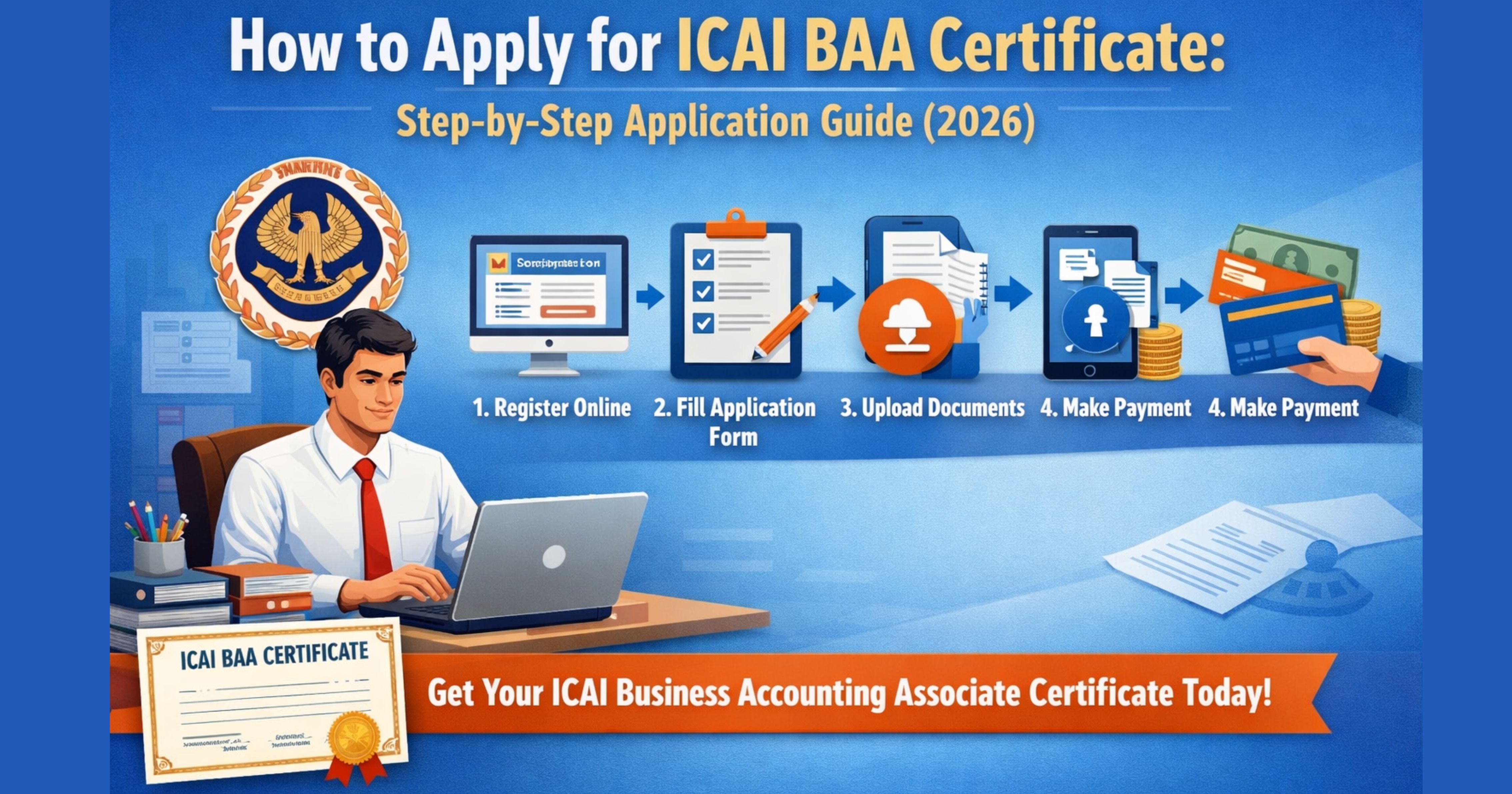

The Business Accounting Associate (BAA) Certificate is ICAI's formal recognition for CA Intermediate students who have crossed the key training milestones but have not yet cleared CA Final. Once you meet the eligibility conditions, the actual application is done online through ICAI's Self Service Portal (SSP). This guide walks you through the process step by step: what to keep ready before you start, how to fill and submit the form, what happens after submission, and the common issues students run into during the application.
If you are still checking whether you qualify — for example whether your two years of articleship count, or whether SPOM is required — start with the eligibility article first and come back here when you are sure you are eligible.
Before You Start: Eligibility Recap
You can only apply for the BAA Certificate after you have cleared both groups of CA Intermediate, completed at least two years of articleship (practical training), cleared the Advanced ICITSS course, and passed all Self-Paced Online Modules (SPOM). ICAI's Self Service Portal will typically validate these conditions from its own records before the application form opens up, so missing any one step will block you at the first screen itself.
The earlier article in this series covers the full eligibility checklist, fees, and the edge cases that the current ICAI notification does not explicitly address. If any of those apply to you, resolve them before you begin the application.
Documents and Details to Keep Ready
The BAA application is short, but it is easier if you keep the following ready in one folder before you log in:
- ICAI SSP login credentials (your registration number and password)
- Scanned passport-size photograph in the specified format
- Scanned signature on white background
- CA Intermediate roll numbers and passing month / year for both groups
- Articleship completion certificate or Form 108 reference
- Advanced ICITSS completion certificate number
- SPOM completion confirmation
- Debit card, credit card, UPI, or net banking for the application fee
- A valid and active email address and mobile number (already linked to SSP)
Most of these details are already on your ICAI record. You are mainly verifying them, not re-entering them from scratch.
Step 1: Log in to the ICAI Self Service Portal
Go to ICAI's Self Service Portal and log in with your student registration number and password. If you have forgotten the password, use the "Forgot Password" link before you begin — a reset is faster than abandoning the form halfway.
Once you are in, confirm that your profile shows the correct name, date of birth, and current address. Any mismatch here will flow into the BAA certificate, and corrections after issue are slow.
Step 2: Navigate to the BAA Certificate Application
From the SSP dashboard, open the Certificates or Membership section (the label has been adjusted by ICAI since launch, so look for an option that reads "BAA Certificate" or "Business Accounting Associate"). Click "Apply" to start a fresh application.
If you do not see the option, it usually means the portal has not yet registered one of your prerequisites — most commonly SPOM or Advanced ICITSS completion. In that case, check each qualification tab in your profile and confirm the completion status is reflected.
Step 3: Verify Auto-Populated Eligibility
The portal opens a screen that displays your eligibility status: Intermediate passing, articleship completion, ICITSS, and SPOM. Each line either shows a tick or a flag. Only if all four show ticks can you proceed to the form.
If any line is flagged even though you have completed it, raise a ticket through the SSP helpdesk before continuing. Do not attempt to "work around" a flagged status by re-filling details — it will be rejected at the verification stage and you will lose the application fee.
Step 4: Fill the Application Form
The application form itself is short. Most fields are pre-filled from your profile. You will typically confirm:
- Your preferred name as it should appear on the certificate
- Correspondence address for physical dispatch
- Whether you intend to continue with CA Final (this is informational; it does not affect approval)
- A declaration that the information is correct
Check spellings and the order of given name and surname carefully. The name on the BAA certificate is the one employers will see on your verification, so a typo now is a problem later.
Step 5: Upload Supporting Documents
If the portal asks for document uploads, they are usually only your photograph and signature in the ICAI-specified formats (typically JPG / JPEG, within a few hundred kilobytes). Articleship, ICITSS, and SPOM completion are picked from ICAI's own database, so you do not re-upload those certificates.
If a file is rejected for size, compress it rather than cropping out content. Tools like ICAI-approved resizers or a simple image editor will do the job. Avoid screenshots of PDF files — they often fail the format check.
Step 6: Pay the Prescribed Fee
After the form is filled, you are routed to the payment gateway. As per ICAI's published FAQ, Indian candidates pay a fee of Rs. 500 for the BAA Certificate. Confirm the exact amount on the SSP payment screen before you proceed. Keep the payment receipt and the SSP acknowledgement; both are useful if a query is raised later.
If the payment fails but your bank account is debited, do not re-pay immediately — wait 24 to 48 hours for the auto-reversal, and raise an SSP ticket if it does not reverse. Duplicate payments are refundable but the process is slow.
Step 7: Submit and Note the Reference Number
On successful payment, the portal generates an acknowledgement with a unique reference number. Save a PDF copy and note the reference number somewhere outside the portal (email to yourself, or save in your notes). You will need it for every follow-up.
What Happens After You Submit
Your application goes into ICAI's verification queue. The turnaround depends on volume at that point in the year, but you can track status on the same SSP dashboard under "My Applications" or an equivalent label. Expect the certificate to be issued digitally first, with a physical copy dispatched to your correspondence address afterwards.
Once the certificate is issued, you can download it from the portal and start using it immediately in your CV and job applications. You can also continue with your CA Final attempts in parallel — the BAA certificate does not replace the CA qualification, and it does not disqualify you from Final.
Common Issues and How to Avoid Them
Eligibility flagged as incomplete: Almost always a missing entry for SPOM or ICITSS in the ICAI database. Raise an SSP ticket with the completion certificate attached and wait for ICAI to update the record before applying.
Name mismatch on certificate: Correct your profile name and date of birth before you start the application, not after. Post-issue corrections involve a separate process and delay.
Payment debited but application not generated: Do not resubmit. Keep the bank transaction ID and raise a helpdesk ticket. The payment either reverses automatically or is mapped to your application manually.
Applying before articleship Form 108 is closed: This is a frequent trap. Even if you have finished two years on the ground, the portal checks Form 108 status. Confirm with your principal that Form 108 has been filed and accepted before you apply.
FAQ
Do I need to complete CA Final before applying? No. The BAA certificate is specifically for students who have cleared Intermediate and done the practical training milestones but have not yet cleared Final.
Can I apply if I am mid-way through articleship? No. Both groups of Intermediate must be cleared and at least two years of articleship must be completed.
Is the BAA certificate a permanent qualification? Yes. Once issued, it remains valid. It is independent of your continuing CA Final journey.
Will the BAA certificate be reflected on my CA record after I clear Final? ICAI's transcript guidance indicates that ATC / BAA details are shown for candidates who have not yet passed the Final Examination. Once you clear Final, the Final qualification takes precedence on your record; how the BAA details appear thereafter depends on the current ICAI notification, so check the transcript format at that time.
Next Steps
Once your application is submitted, the waiting is the hardest part. Use the time to update your LinkedIn and CV with the BAA certification (pending), start applying to accounting executive, audit assistant, and finance associate roles that now match your profile, and keep preparing for CA Final. For the broader context on what BAA means and why ICAI introduced it, the main announcement article covers the policy side in detail.

Comments (0)
No comments yet. Be the first to comment!