
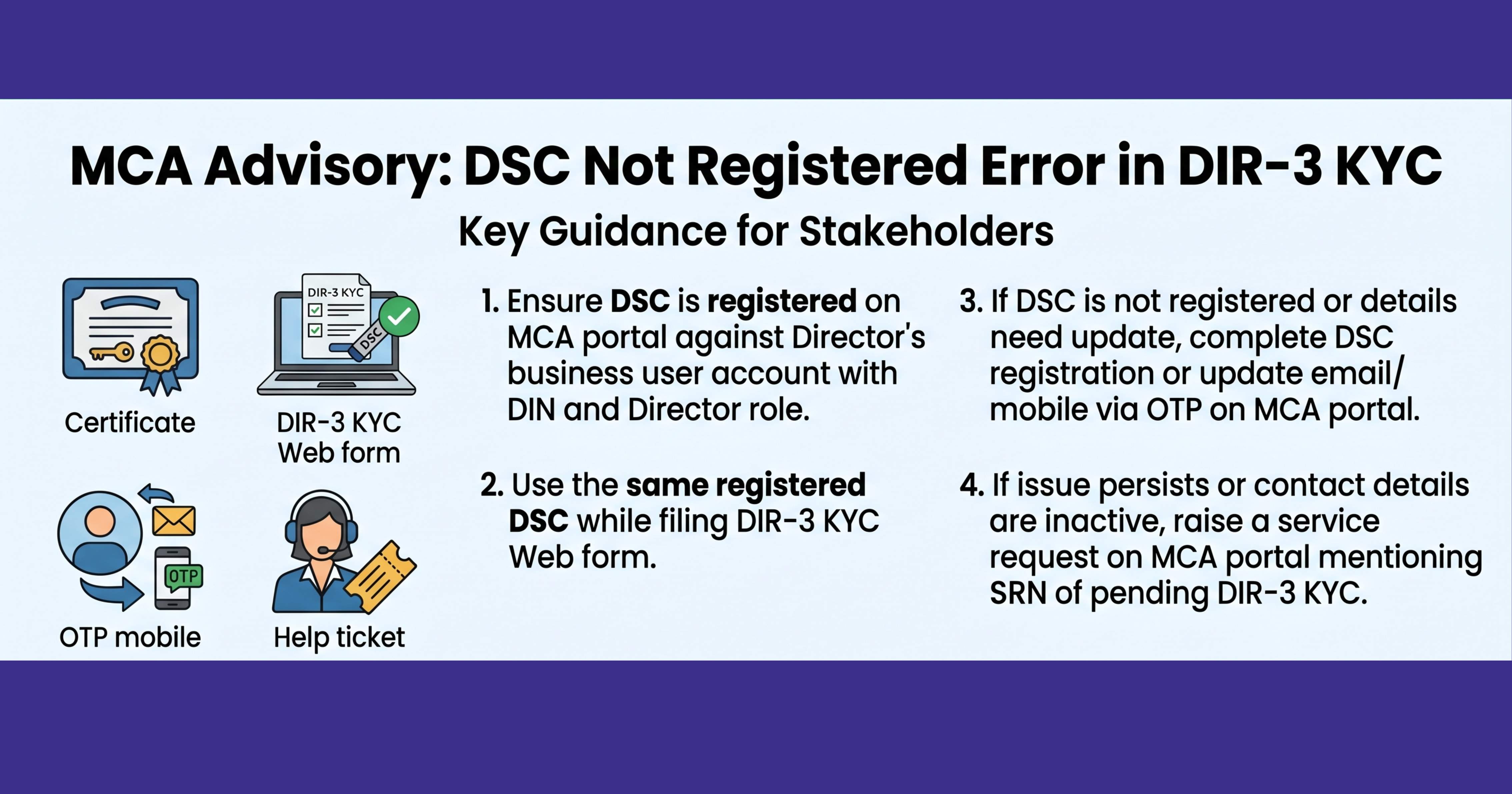

The Ministry of Corporate Affairs (MCA) has issued an advisory addressing a common issue faced by stakeholders while filing DIR-3 KYC Web — the error stating “DSC is not registered with the Director DIN.”
To resolve this, MCA has outlined specific checks and actions that users must follow to ensure successful filing.
1. Ensure Proper DSC Registration
The Digital Signature Certificate (DSC) must be registered on the MCA portal against the Director’s business user account.
- The account should have the Director role mapped with the relevant DIN.
- The same DSC must be used while filing the DIR-3 KYC Web form.
2. Register DSC if Not Already Done
If the business user account exists but DSC is not registered, users must complete DSC registration on the MCA portal before proceeding with filing.
3. Update Email or Mobile via OTP
If there is a mismatch or change required in the registered email ID or mobile number:
- Users can log in using OTP authentication.
- Post login, they can proceed with DSC registration or required updates.
4. Raise Complaint if Issues Persist
In cases where:
- Email ID and mobile number are inactive, or
- DSC cannot be associated due to technical or other issues
Users should raise a service request on the MCA portal. It is important to mention the SRN of the DIR-3 KYC Web form that is pending for DSC upload and payment.
Important Note from MCA
- DSC validation will not be allowed if the DIN is deactivated due to non-filing of DIR-3 KYC.
- This applies where the purpose selected is “Reactivation of DIN”, and
- The DIN holder has not filed DIR-3 KYC eForm even once where the DIN allotment date is on or before 31 March 2025.
This clarification is aimed at helping stakeholders complete DIR-3 KYC filings smoothly by ensuring correct DSC mapping and timely resolution of account-related issues.



Comments (0)
No comments yet. Be the first to comment!