
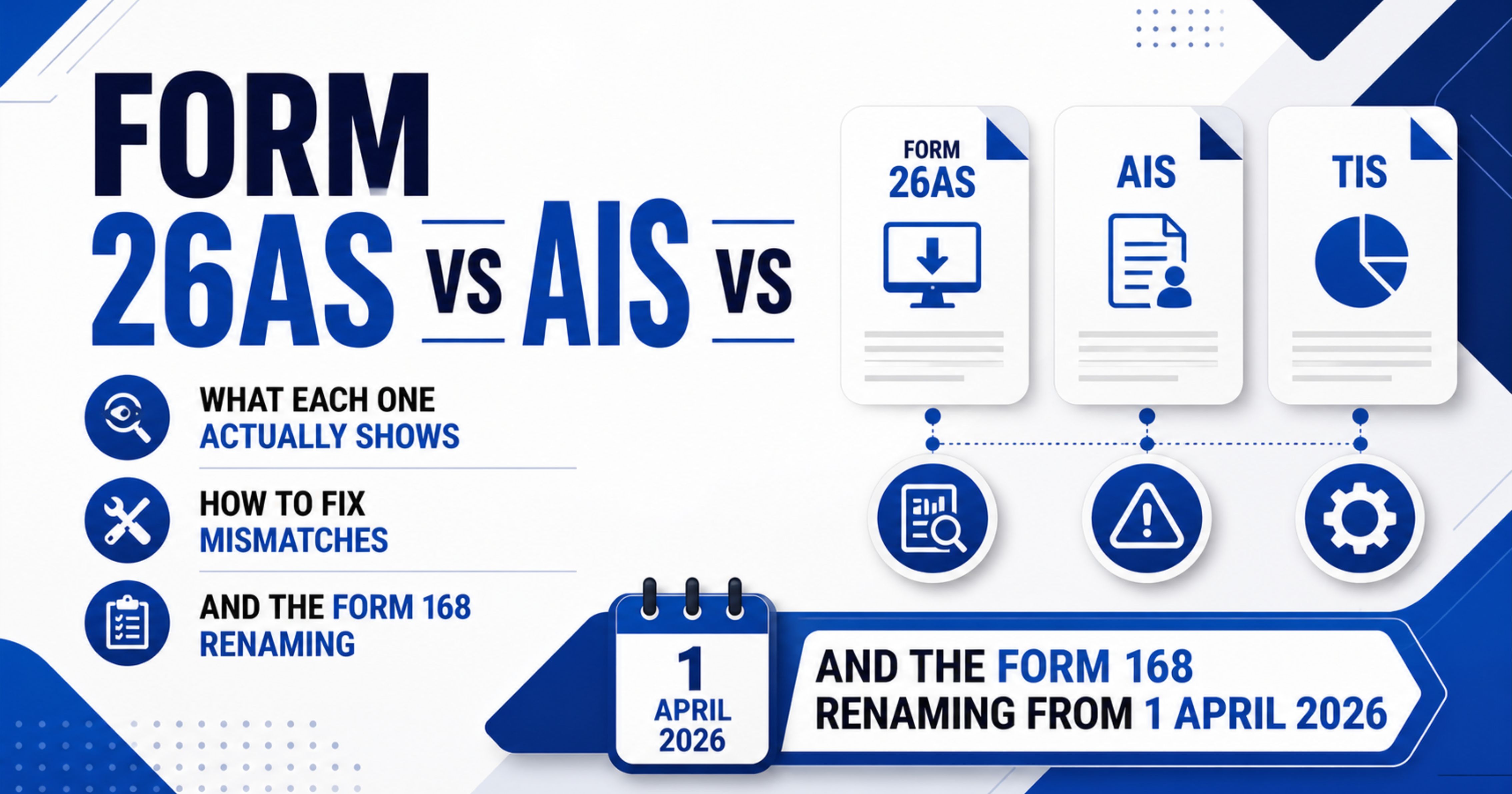

TL;DR: Three statements, three jobs. Form 26AS is your tax-credit statement — TDS deducted on your income, TCS collected from you, advance tax and self-assessment tax you paid, and refunds issued, i.e. all the credits and direct payments that go against your tax liability. AIS (Annual Information Statement) is the wider record — every financial transaction the income-tax department has been told about by banks, employers, mutual funds, registrars and others, linked to your PAN. TIS (Taxpayer Information Summary) is the aggregated, category-wise summary of AIS, and the values you accept in TIS are used to pre-fill your ITR.
The Income-tax Act, 2025 comes into force on 1 April 2026 and applies to income earned from tax year 2026-27 onwards (the assessment year for that income is AY 2027-28, returns due in 2027). Returns for AY 2026-27 — covering income of FY 2025-26, due 31 July 2026 for individuals not requiring audit — are still filed under the 1961 Act and continue to reference Form 26AS. Form 168, prescribed under Section 510 of the Income-tax Act, 2025 read with Rule 245 of the Income-tax Rules, 2026 (notified by CBDT on 20 March 2026), takes over for AY 2027-28 onwards. Section 7 below walks through the transition.
The article walks through each statement, the typical mismatches between them, the official feedback workflow to fix wrong entries, and the section-by-section legal references so you can verify every claim against the bare Act and Rules.
1. The Three Statements at a Glance
Statement What it contains Where it sits in the law What you use it for Form 26AS (replaced by Form 168 for tax year 2026-27 / AY 2027-28 onwards) From AY 2023-24 the TRACES Form 26AS shows only TDS/TCS-related data — broadly Part A (TDS), Part B (TCS), Part C (advance tax / self-assessment tax paid by you) and Part D (refunds). Other items previously in Form 26AS (SFT, defaults, GSTR turnover, demand) have moved to AIS. For AY 2026-27 and earlier returns: Section 285BB, Income-tax Act, 1961 read with Rule 114-I of the 1962 Rules and CBDT Notification No. 30/2020 dated 28 May 2020. For AY 2027-28 onwards: Section 510, Income-tax Act, 2025 read with Rule 245, Income-tax Rules, 2026 (Form 168). Claiming credit for taxes already paid against your tax liability in the ITR. This is the document the assessing officer reconciles when validating your tax credit claim. AIS (Annual Information Statement) Two parts. Part A: PAN, masked Aadhaar, name, date of birth/incorporation, contact details, address. Part B: TDS/TCS, Statement of Financial Transaction (SFT), tax payments, demand and refund details, and other information — including salary annexures, foreign remittances and GST turnover. Spans dozens of information categories (see the AIS handbook for the live list). The wider AIS construct lives in the same Section 285BB / Section 510 ecosystem. The information categories themselves flow from various reporting obligations (SFT under Section 285BA of the 1961 Act / Section 508 of the 2025 Act, TDS/TCS provisions, GST returns, FEMA filings). Reconciling the income side of your ITR — making sure you have not under-reported salary, interest, dividends, capital gains, mutual fund redemptions, foreign remittances, or property transactions that the department already knows about. TIS (Taxpayer Information Summary) Information-category-wise aggregated summary of AIS. For each category (e.g. interest income, dividend income, salary), TIS shows a processed value (what the system computed from raw AIS data after de-duplication and rules) and an accepted value (what stands after your feedback). Accepted values are used to pre-fill the ITR where applicable. Derived view from AIS — same statutory base. The pre-fill source for your ITR. If you do not file feedback on AIS, the processed value flows through to TIS and then into the ITR draft.The sentence to remember: Form 26AS today is your tax-credit slip. Form 168 (from AY 2027-28 onwards) is wider — tax credit plus SFT, demand, refund, pending and completed proceedings on the same form. AIS in either era is the broad record of income and transactions the department thinks you had. TIS is the cleaned-up summary of AIS that pre-fills your return.
2. Form 26AS Today (Operative for AY 2026-27 and Earlier)
Form 26AS has been through three lives. Until FY 2019-20, it was a pure tax-credit statement — TDS, TCS, advance tax, refunds. The Finance Act, 2020 inserted Section 285BB in the Income-tax Act, 1961, and CBDT issued Notification No. 30/2020 dated 28 May 2020 notifying a far broader Form 26AS that absorbed Specified Financial Transactions (SFT), pending and completed proceedings, and other prescribed information.
That broader Form 26AS only ran from FY 2020-21 to FY 2021-22. From AY 2023-24 onwards, the Income-tax Department’s official AIS FAQ confirms that Form 26AS available on the TRACES portal displays only TDS/TCS-related data. The broader information — SFT, salary annexures, foreign remittances, GST turnover, demand and defaults — was carved out into the AIS, which sits on the e-filing portal rather than TRACES.
So today, when you log in to TRACES and pull Form 26AS, the parts that remain are broadly:
- Part A: TDS deducted on income paid to you (salary, interest, professional fees, rent, etc.). Sub-parts within Part A typically separate regular TDS, TDS for Form 15G / 15H declarants, and TDS on sale of immovable property under Section 194-IA where you are the seller.
- Part B: TCS collected from you under Section 206C (e.g. on motor-vehicle purchases above Rs. 10 lakh, foreign remittances under LRS, overseas tour packages).
- Part C: Tax paid by you directly — advance tax, self-assessment tax, regular assessment tax (challan-level details).
- Part D: Refunds paid to you during the year.
The earlier broader sections of Form 26AS — SFT, demand and refund details, TDS defaults, GSTR turnover — have been migrated to AIS. Verify the live structure on the TRACES PDF for the AY you are filing, since CBDT updates the layout from time to time.
Form 26AS is the document an Assessing Officer reconciles when validating the tax credit you claim in your ITR. If your ITR claims TDS of Rs. 1,80,000 but Form 26AS shows Rs. 1,55,000, the difference is at risk of being disallowed unless you can produce a corrective TDS certificate from the deductor.
3. AIS — The Wider Record
The Annual Information Statement is hosted on the e-filing portal (incometax.gov.in), not on TRACES. Per the official Income-tax Department FAQ, AIS has two parts:
Part A — General Information: PAN, masked Aadhaar number, name, date of birth or incorporation, mobile number, email, address.
Part B — Information categories: TDS/TCS, Statement of Financial Transactions (SFT), tax payments, demand and refund, and other information. The “other information” bucket is what makes AIS dramatically wider than Form 26AS:
- Salary — Annexure-II: Detailed salary break-up reported by your employer in the annual TDS return.
- Interest income: Savings bank interest, fixed deposit interest, recurring deposit interest, post office interest, all reported by the paying institution. This is where most under-reporting gets caught.
- Dividend income: Reported by every company / mutual fund that paid dividends to your PAN.
- Sale and purchase of securities (equity, mutual funds, debentures): Reported by registrars and depositories. Drives the capital-gains pre-fill in TIS.
- Mutual fund transactions: Including SIPs, lump-sum purchases, redemptions and switches, with cost and consideration.
- Sale and purchase of immovable property: Reported by sub-registrars and the Section 194-IA TDS return.
- Foreign remittances: Reported under Form 15CC by authorised dealers.
- GST turnover: Reported by GSTIN linked to your PAN, sourced from GSTR filings.
- Cash deposits and withdrawals: SFT reporting by banks above prescribed thresholds.
- Credit card spends: SFT reporting above prescribed thresholds.
The full list spans dozens of information categories. The Income-tax Department’s AIS handbook lists each category code and the source (TDS return type, SFT code, etc.) — the published list is the authoritative reference for the current year.
Why AIS often disagrees with Form 26AS: Form 26AS only carries TDS/TCS; AIS carries TDS/TCS plus the underlying income data and many transactions where no tax was deducted. So a savings-bank interest credit of Rs. 8,000 will appear in AIS (interest income category) but not in Form 26AS (no TDS at this level). When you file ITR, the AIS pre-fill nudges you to declare the Rs. 8,000; Form 26AS will not.
4. TIS — What Pre-fills Your ITR
TIS sits on top of AIS as a category-wise rollup. For every category in AIS, TIS shows two numbers per the official AIS FAQ:
- Processed value: What the system computed from the underlying AIS records after de-duplication, currency conversion (for foreign remittances) and category aggregation. For example, if AIS shows three interest credits of Rs. 5,000, Rs. 8,000 and Rs. 12,000 from the same bank, TIS may aggregate to Rs. 25,000 under “Interest from deposit” for that source.
- Accepted value: The processed value as adjusted by your feedback. If you marked one of the entries as “information is not fully correct” and reduced it by Rs. 3,000, the accepted value moves to Rs. 22,000.
The accepted value is what flows into the ITR pre-fill (where pre-fill is enabled for that category). This is why filing AIS feedback before opening your ITR matters — if you let the processed value carry through unchanged, your ITR will pre-populate with whatever the system computed, and any error becomes your declared income.
5. Form 168 for AY 2027-28 Onwards — What Actually Changes
The Income-tax Act, 2025 comes into force on 1 April 2026 and applies to income earned from tax year 2026-27 (i.e. FY 2026-27) onwards. Returns for AY 2026-27 (income of FY 2025-26) continue under the 1961 Act. Section 510(1) of the new Act says, in its own words:
“The prescribed income-tax authority or the person authorised by such authority, shall upload in the registered account of the assessee an annual information statement in such form and manner, within such time and along with such information, which is in the possession of an income-tax authority, as prescribed.”
Section 510(2) defines “registered account” as the electronic filing account registered by the assessee on the designated web portal.
The form, manner and timing are then prescribed by Rule 245 of the Income-tax Rules, 2026, which CBDT notified on 20 March 2026 with effect from 1 April 2026. Under Rule 245, the annual information statement is to be uploaded in the new Form 168. Form 168 has the same two-part structure carried over from Form 26AS:
- Part A — Particulars of the Person: Name, date of birth or incorporation, address, PAN, email, contact number.
- Part B — Nature of Information: TDS/TCS, Specified Financial Transactions (SFT), tax-payment details, demand and refund details, pending and completed proceedings, and any other prescribed information.
Practically, what changes for the taxpayer is small:
- The form number: Form 26AS → Form 168 (for AY 2027-28 returns onwards).
- Statutory cite: Section 285BB / Rule 114-I → Section 510 / Rule 245.
- SFT plumbing: Section 285BA of the 1961 Act → Section 508 of the 2025 Act, with the SFT report itself moving from Form 61A to Form 165.
- Terminology: “Financial year” replaced by “tax year” in line with the 2025 Act’s drafting style.
- Continuity: AIS and TIS are not abolished — they continue as before on the e-filing portal. Form 168 sits alongside, much as Form 26AS does today.
The transition rule is the standard one for Indian tax law: the form that applies to a given ITR is the form prescribed under the Act in force for the income year. Returns for AY 2026-27 (FY 2025-26 income) reconcile against Form 26AS. Returns for AY 2027-28 onwards (tax year 2026-27 onwards) reconcile against Form 168. The e-filing portal supports both Acts in parallel during the transition period.
6. How to View Each Statement
Form 26AS (for AY 2026-27 and earlier returns):
- Log in to the e-filing portal at incometax.gov.in.
- Go to e-File → Income Tax Returns → View Form 26AS.
- You are redirected to TRACES. Accept the disclaimer.
- Select assessment year and view format (HTML / PDF / text). Download the PDF for your records — it requires your DOB in DDMMYYYY format as the password.
AIS and TIS:
- Log in to the e-filing portal.
- Go to Services → Annual Information Statement (AIS).
- You are redirected to the AIS portal (a separate sub-domain).
- On the dashboard, you see two tiles — AIS and TIS — for the selected financial year.
- Click AIS to drill into category-wise transactions; click TIS for the summary view.
- Download both PDFs for your records. The password is your PAN (in upper case) followed by date of birth in DDMMYYYY format, with no space (e.g. ABCDE1234F01011990).
For AY 2027-28 returns onwards (tax year 2026-27 income), the menu will surface Form 168 in place of Form 26AS. During the transition the e-filing portal supports both forms — pick whichever applies to the AY you are filing. The AIS / TIS workflow stays unchanged.
7. The AIS Feedback Workflow — How to Fix Mismatches
The AIS portal is the only place where you can flag an entry as incorrect. Per the official Income-tax Department FAQ, the workflow is:
- Open the AIS for the relevant financial year.
- Drill into the information category that has the wrong entry — for example, “Interest from deposit”.
- Locate the specific transaction and click the Optional button against it.
- Choose a feedback option from the drop-down. The standard set includes:
- Information is correct
- Transfer not in the nature of sale
- Income is not taxable
- Information is not fully correct
- Information relates to other PAN / year
- Information is duplicate / included in other information (commonly shown on the portal as “Information is duplicate”)
- Information is denied
- Enter the corrected details — for instance, the actual interest amount if “not fully correct” was selected, or the correct PAN if it relates to someone else.
- Submit. The activity history tab updates and an acknowledgement receipt is generated. Email and SMS confirmations are sent to your registered contacts.
- The TIS “accepted value” for that category re-computes accordingly — and that revised number flows into the ITR pre-fill the next time you open the return.
Per the AIS FAQ, there is currently no limit on the number of times you can modify previously given feedback — useful if you discover further evidence after the first round.
Important nuance: Filing AIS feedback does not by itself update Form 26AS, and it does not delete the underlying record from the source system (the bank, the broker, the registrar). The source still shows what it reported. AIS feedback only changes the “accepted value” that flows into your ITR pre-fill and the position you are taking on record. If the entry is genuinely wrong at source — e.g. a TDS deducted against the wrong PAN — you also need the deductor to file a correction TDS return so that Form 26AS reflects the change.
8. Common Mismatch Scenarios — Worked Through
Scenario A — Bank interest in AIS, not in Form 26AS. Your savings account paid Rs. 8,500 of interest. The bank reported it in the SFT / interest annexure feeding AIS, but no TDS was deducted (interest below Section 194A threshold for a savings account). Form 26AS shows nothing; AIS shows Rs. 8,500 under interest from deposit. Action: declare Rs. 8,500 in your ITR under “Income from other sources”, claim deduction under Section 80TTA (up to Rs. 10,000 for non-seniors, only under the old regime) or Section 80TTB (up to Rs. 50,000 for senior citizens, only under the old regime).
Scenario B — TDS in Form 26AS, no income in AIS. Rare but happens when the deductor wrongly tagged your PAN. Both Form 26AS and AIS will show the TDS, but you have no underlying income to report. Action: contact the deductor to file a correction return moving the TDS to the correct PAN. Until corrected, do not claim the credit — claiming TDS without declaring corresponding income is a Section 270A under-reporting trigger.
Scenario C — Same dividend reported twice. A dividend payout sometimes gets reported by both the company and the registrar. AIS may show it twice. TIS de-duplicates in many cases, but not always. Action: check TIS first — if the processed value already nets out, do nothing. If it shows the double entry, file feedback marking one as “Information is duplicate” and let TIS re-compute.
Scenario D — Mutual fund redemption with wrong cost. AIS shows your equity MF redemption at sale value Rs. 5,00,000 with a system-computed cost of Rs. 3,50,000 — but the cost reflects only the most recent SIPs and ignores older units bought via a different folio. Action: file feedback “Information is not fully correct” with the actual aggregated cost from your Capital Gains Statement. The TIS accepted value — and your capital gains pre-fill — updates accordingly. Always reconcile with the AMC’s capital gains statement, not AIS alone.
Scenario E — Property sale TDS at 1% but consideration wrong. You sold a flat for Rs. 60 lakh. The buyer deducted 1% TDS under Section 194-IA (Rs. 60,000) and filed Form 26QB. Form 26AS shows Rs. 60,000 TDS and Rs. 60 lakh consideration. AIS shows the same. But the registered sale deed shows Rs. 65 lakh. Action: the buyer needs to file a correction Form 26QB for the missing Rs. 5 lakh and deduct an additional Rs. 5,000 TDS. In your ITR, declare capital gains on the full Rs. 65 lakh (or stamp-duty value if higher under Section 50C) regardless of what AIS shows — under-declaring is a Section 270A risk.
9. What Happens If You Ignore Mismatches — Section 270A
Section 270A of the Income-tax Act, 1961 (and its successor in the 2025 Act) prescribes a penalty of 50% of the tax payable on the under-reported income, going up to 200% if the under-reporting is in consequence of mis-reporting — categories of mis-reporting include suppression of facts, false entries, claims of expenditure not substantiated by evidence, and undisclosed income.
If AIS shows interest income of Rs. 1,00,000 and you declare nothing, the under-reported income is Rs. 1,00,000. At a 30% slab, the tax on it is Rs. 30,000; the Section 270A penalty starts at Rs. 15,000 (50%) and can go to Rs. 60,000 (200%) if the assessing officer treats the omission as mis-reporting. That is on top of the tax itself plus interest under Section 234B / 234C.
The reason AIS exists is precisely to give the department a one-click ability to flag this mismatch. Reconciling AIS with your ITR before filing is no longer optional — it is the cheapest piece of compliance work you can do.
10. The Filing Decision Rule
For each AY 2026-27 ITR you file, the practical sequence is:
- Pull Form 26AS from TRACES. Verify the TDS / TCS / advance tax numbers exactly. These drive the tax-credit columns of your ITR.
- Pull AIS and TIS from the e-filing portal. Compare every income category in TIS with your own records (salary slip / Form 16, bank interest certificate, broker capital gains statement, mutual fund capital gains statement, dividend statements).
- File AIS feedback for every category that disagrees with your records, and wait for the TIS accepted value to update.
- Open the ITR. The pre-fill will pull from TIS accepted values. Cross-check against your independent records once more — the pre-fill is a starting point, not the final declaration.
- Reconcile tax credits with Form 26AS. If your ITR claims TDS that does not appear in Form 26AS, contact the deductor to file a correction return. Do not file the ITR until Form 26AS reflects the correct TDS — the credit will be denied otherwise.
- File and verify the ITR. Keep the AIS / TIS / Form 26AS PDFs for the assessment year in your records for at least seven years.
From AY 2027-28 onwards, replace “Form 26AS from TRACES” in step 1 with “Form 168 from the e-filing portal” — the workflow is otherwise identical.
11. Final Takeaway
Form 26AS, AIS and TIS are not three competing statements. They are three views of the same underlying data set, sliced for three different purposes: tax credit, income disclosure, and ITR pre-fill. The April 2026 transition to Form 168 changes the form number and the section it sits under — not the substantive obligation, and not the workflow you need to follow before filing.
The expensive mistake is treating any one of them as the truth on its own. The TDS-only Form 26AS will under-state your income (it carries no untaxed interest, no dividend, no capital gains). The AIS will over-state your tax credit (it carries underlying income that may already be exempt or already taxed under TCS). TIS’s pre-fill is a draft, not a verified return. The combination — reconciled against your own bank, employer, broker and AMC records — is what gives a defensible ITR.
12. Legal & Regulatory References
- Section 285BB, Income-tax Act, 1961 — inserted by the Finance Act, 2020; legal basis for Form 26AS for AY 2026-27 and earlier returns.
- Rule 114-I, Income-tax Rules, 1962 — prescribes Form 26AS and the timing of the upload.
- CBDT Notification No. 30/2020 dated 28 May 2020 — notified the broader Form 26AS structure.
- Section 510, Income-tax Act, 2025 — upload of annual information statement in registered account; in force from 1 April 2026, applies to tax year 2026-27 (AY 2027-28) onwards.
- Rule 245, Income-tax Rules, 2026 — prescribes Form 168 as the annual information statement, notified by CBDT on 20 March 2026.
- Section 285BA, Income-tax Act, 1961 (and Section 508 of the 2025 Act) — statement of financial transactions (SFT), the source of much of the AIS data. SFT report itself moves from Form 61A to Form 165 under the new rules.
- Section 270A, Income-tax Act, 1961 — penalty for under-reporting (50%) and mis-reporting (200%) of income.
- Income-tax Department FAQ on AIS — incometax.gov.in/iec/foportal/ais-faq, official source for the feedback workflow and the AIS / TIS distinction.
This article is a practitioner-oriented summary of statute, rules and the official AIS FAQ as on 5 May 2026. CBDT clarifications, schema updates and the e-filing portal’s UI evolve over time — verify the latest CBDT notifications and the AIS handbook on the income-tax portal before relying on this for a specific filing decision. For a borderline case — particularly capital gains pre-fill discrepancies above Rs. 1 lakh, foreign-asset reporting, or a Section 270A notice — consult an experienced practising chartered accountant.






Comments (0)
No comments yet. Be the first to comment!